How to Pay with Credit Card or PayPal
Fast, easy, and secure payments.
To pay for your order on khoa.co, follow the steps below.
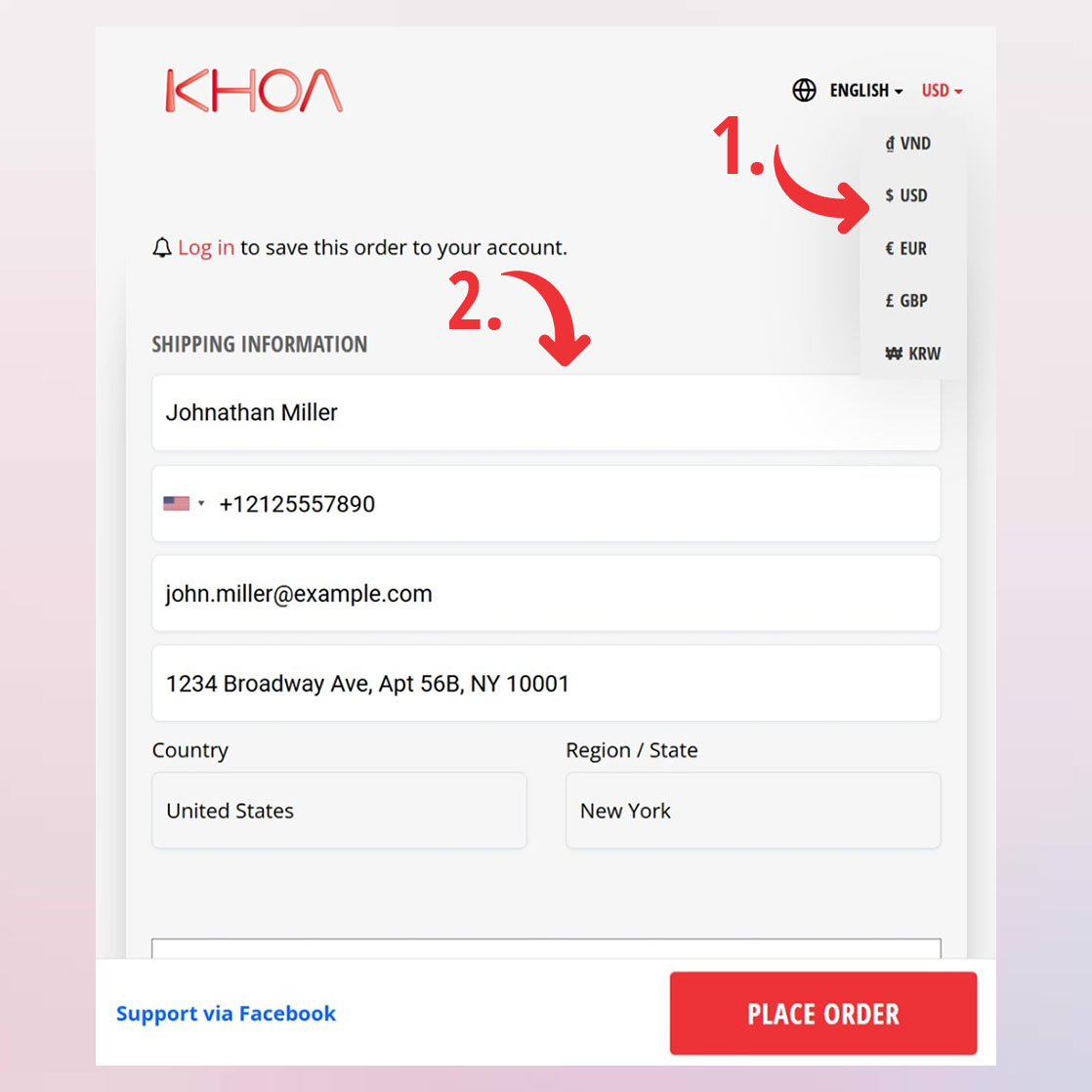
1. At Checkout, select your preferred currency: USD, EUR...
2. Enter your details in the Shipping Information section.
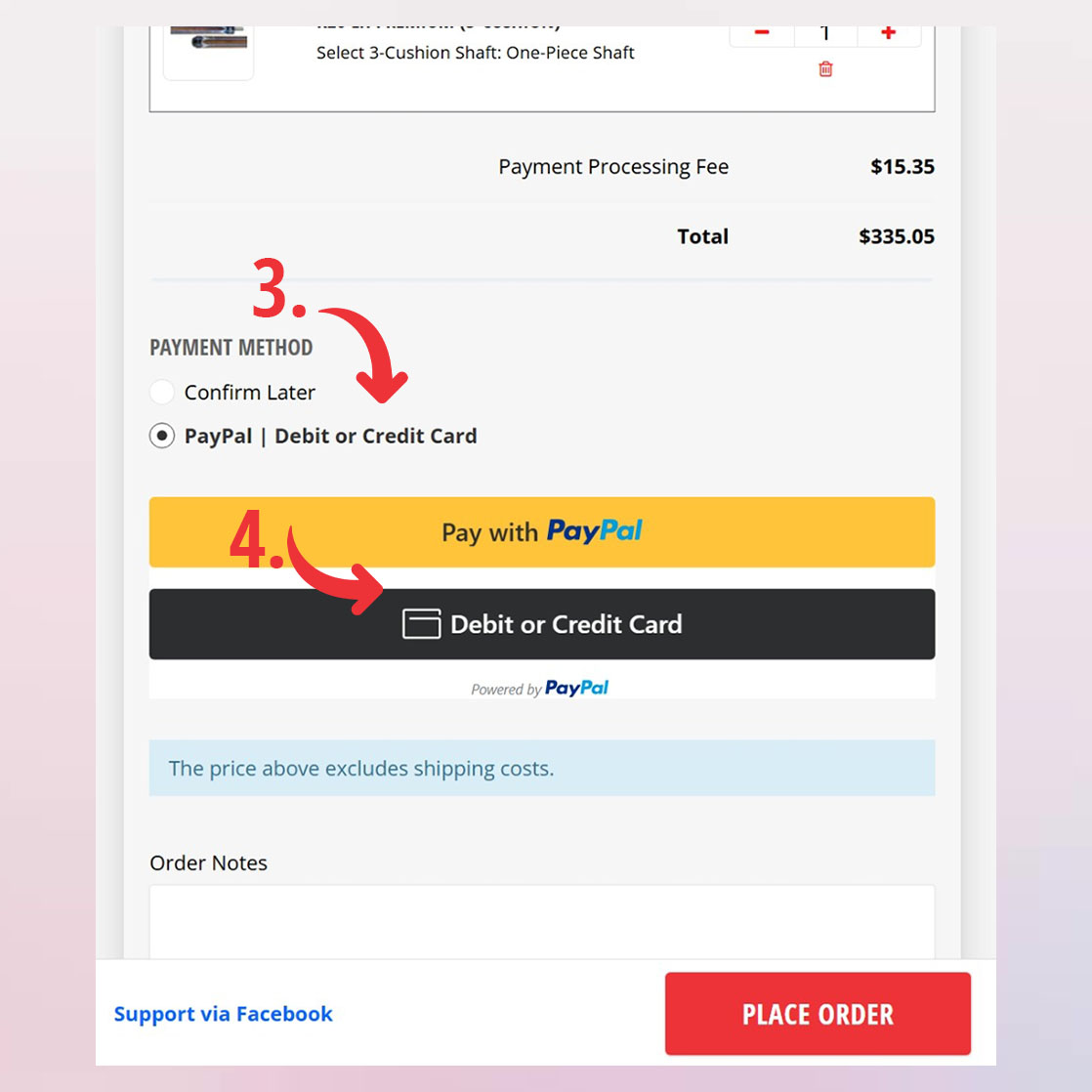
3. Under Payment Method, choose PayPal | Debit or Credit Card.
4. Choose one of these options:
- Pay with PayPal: If you have a PayPal account, log in and confirm your payment.
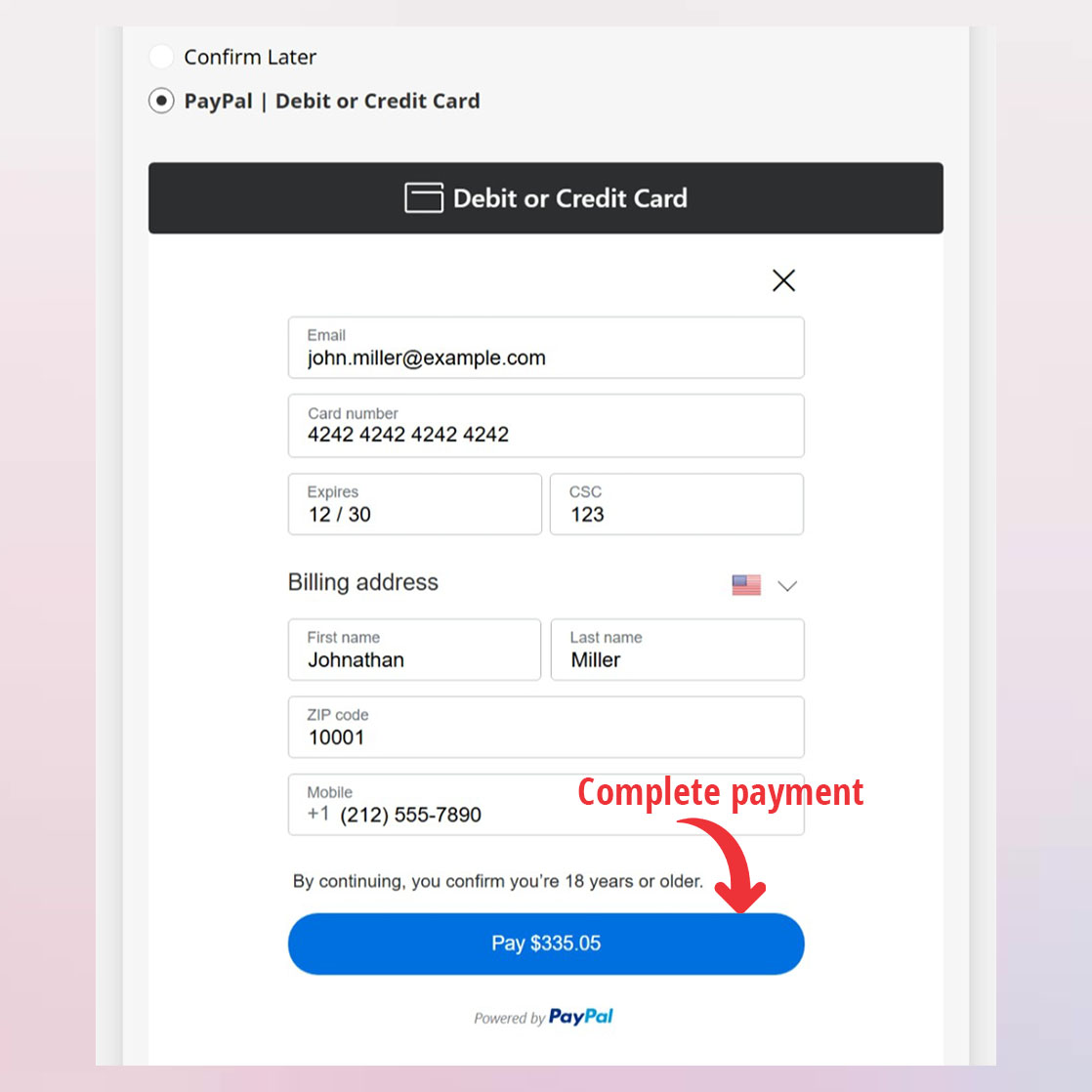
- Debit or Credit Card: If you don’t have a PayPal account, enter your debit or credit card details and click Pay to complete your order.